
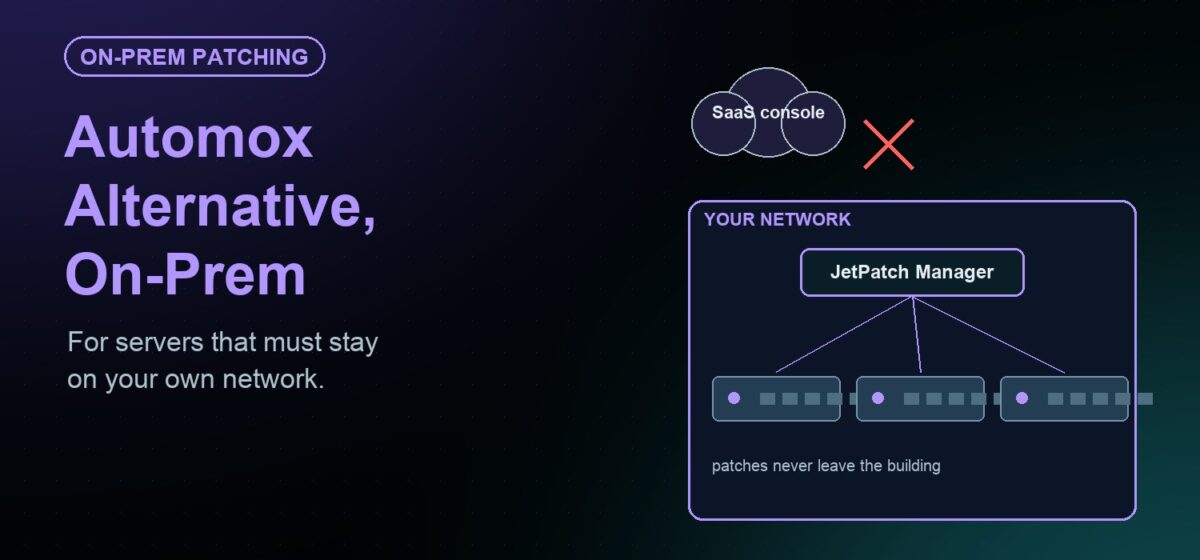
Short answer: Automox describes itself as a cloud-native service for Windows, macOS and Linux endpoints. If your servers must stay on your own network, or some are fully air-gapped, look for a self-hosted patch platform. JetPatch is installed software that runs inside your environment and patches Windows, Linux, AIX and Solaris servers.
This article explains what a cloud-delivered model is good at, where it gets harder, and what to look for in an on-premises Automox alternative.
How Automox is delivered
Automox’s own site calls it cloud-native endpoint management. It patches and automates Windows, macOS and Linux endpoints from a single dashboard. A lightweight agent on each device connects to the Automox cloud.
Automox highlights that no on-premises servers are needed. Devices can patch from anywhere with internet access. For remote and hybrid workforces, that is a real advantage. There is no patch server to build, and laptops stay current wherever they are.
We did not find an on-premises or air-gapped edition described on Automox’s site. If that matters to you, confirm current options directly with Automox.
Where a cloud-delivered model gets harder
Data-center servers often live under different rules from laptops. These situations push teams toward a self-hosted tool:
- No outbound internet from servers. Security policy blocks servers from reaching any external service.
- Fully air-gapped segments. OT networks, clinical systems and classified enclaves have no path out at all.
- Data residency. Inventory, patch status and approvals must stay on your own infrastructure.
- Legacy Unix. AIX and Solaris servers still run critical workloads and need the same governance.
- Strict change control. Production servers patch only in approved windows, after ITSM sign-off.
Cloud-native vs. self-hosted: the trade-offs
| Factor | Cloud-native (e.g., Automox) | Self-hosted (e.g., JetPatch) |
|---|---|---|
| Infrastructure to run | None on-premises | A JetPatch Manager in your data center or private cloud |
| Device connectivity | Devices reach the vendor cloud over the internet | Servers talk only to JetPatch inside your network |
| Air-gapped sites | Not described on the vendor site | Restricted egress, partially isolated or fully air-gapped |
| Where data lives | Vendor-hosted service | Your environment; no telemetry or phone-home |
| Operating systems | Windows, macOS, Linux | Windows Server, 8 Linux distributions, AIX, Solaris |
| Best fit | Distributed endpoints and remote staff | Regulated, isolated and mixed-OS server estates |
Neither model is better in general. The right choice depends on where your servers sit and what your security policy allows.
What to look for in an on-premises alternative
- Self-hosted deployment. The platform should run entirely in your data center or private cloud tenancy.
- One controlled path to vendors. Only one component should reach vendor update sources, on a schedule you control.
- Verified content. Updates should be integrity-checked before any server sees them.
- Windows choices. You should be able to keep WSUS or replace it.
- Linux depth. Local repositories and advisory-level reporting matter for auditors.
- Evidence. Reports should show who approved what, what was installed where, and when.
How JetPatch handles on-prem and air-gapped servers
JetPatch is not a vendor-hosted SaaS product. It is installed and runs inside your own infrastructure. It does not send usage or environment data outside your network.
The same architecture covers restricted egress, partially isolated and fully air-gapped networks. Only the JetPatch Manager reaches vendor sources. Servers and endpoints stay internal. Read more on the air-gapped patch management page.
For Windows Server, you get both options. JetPatch works with your existing WSUS, or replaces it with the JetPatch repository. Offline Windows Patching delivers digital-fingerprint verified updates to isolated servers. Anything that fails verification is quarantined.
For Linux, JetPatch patches at the advisory level, mapping packages to RHSA, RHBA and RHEA advisories with CVE references. The Unified Linux Repository runs every distribution in its own container on a single Docker host. For Unix, JetPatch integrates with IBM NIM for AIX and IPS repositories for Solaris 11.
Governance is the same for every OS. Predictive Patching simulates each cycle to expose blockers. Sequence Patching moves updates from QA to production. Compliance reports export to CSV and PDF.
Can you run both?
Yes. Some organizations keep a cloud-native tool for laptops and remote staff. They use a self-hosted platform for data-center and isolated servers. The key is a clear boundary, so each machine has one patch owner.
Questions to ask before you choose
A short checklist helps you compare any cloud-native or self-hosted tool on equal terms.
- Connectivity: Which of your servers can reach the internet today, and which never will?
- Data location: Where must inventory, patch status and approval records be stored?
- Operating systems: Do you need AIX or Solaris covered alongside Windows and Linux?
- Windows path: Do you want to keep WSUS for now, replace it, or move between the two?
- Change control: Must deployments wait for ServiceNow or Jira approval?
- Audit needs: Can the tool show advisory-level results for Linux and an approval trail for every cycle?
Score each option against these questions with your security and audit teams. The answers usually make the choice clear.
Frequently asked questions
Is Automox available on-premises?
Automox’s site describes a cloud-native service and does not describe an on-premises edition. Ask Automox directly for its current deployment options before you decide.
Can JetPatch patch servers with no internet access?
Yes. Servers receive patches from JetPatch inside your network and gain no internet access. On Windows, Offline Windows Patching handles fully isolated servers. On Linux, local repositories serve as the patch source.
Does JetPatch require WSUS?
No. JetPatch supports both options. It can work with your existing WSUS, or replace it with the JetPatch repository, from the same console.
Does JetPatch patch AIX and Solaris?
Yes. JetPatch patches AIX through NIM and SUMA, and Solaris through IPS and CPU repositories, alongside Windows and Linux in one console.
Need patching that stays inside your network? Request an evaluation and test JetPatch on a group of your own servers.