
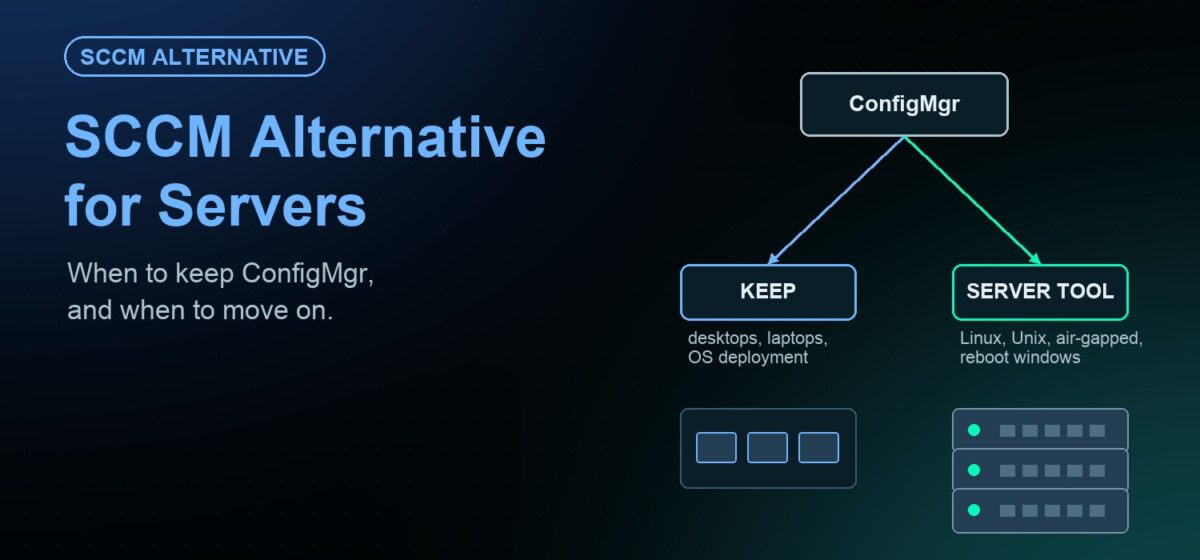
Short answer: if you mainly need SCCM for server patching, a server-focused patch management platform is often a simpler fit. Keep Configuration Manager where you use its full suite, such as OS deployment and desktop software distribution. Move servers to a dedicated tool when you need one console for Windows, Linux and Unix, governed maintenance windows and audit-ready reports.
Configuration Manager is still widely called SCCM or ConfigMgr. This guide explains when it is the right tool and when a server-focused alternative fits better. It also shows how to move server patching without a risky cutover.
What Configuration Manager is built to do
Microsoft describes Configuration Manager as part of the Microsoft Intune family of products. It covers deployment of applications, software updates and operating systems. It also handles compliance settings and management of servers, desktops and laptops.
That breadth comes with infrastructure. According to Microsoft’s documentation, Configuration Manager relies on SQL Server for its database and IIS-based site system roles. It integrates with Windows Server Update Services (WSUS) to manage software updates. Microsoft also advises careful planning and testing, because the product can affect every computer in an organization.
For many organizations, that investment pays off. The question is whether server patching alone justifies it.
When SCCM is still the right fit
- You use the whole suite. OS deployment, application packaging and desktop management all run through ConfigMgr today.
- Your estate is almost entirely Windows. One Microsoft toolchain covers most of what you manage.
- You have skilled ConfigMgr staff. Your team already maintains the site servers, database and distribution points.
- Co-management with Intune is part of your plan. Your device strategy already leans on the Intune family.
When a server-focused tool fits better
Server teams have different needs from desktop teams. Production servers have tight change windows, strict approvals and auditors who ask for proof. These signs suggest a dedicated server patching platform:
- Mixed operating systems. You patch Windows Server alongside RHEL, Ubuntu or SUSE, and perhaps AIX or Solaris.
- SCCM is used only for server updates. You carry the full infrastructure for one job.
- Isolated networks. Some servers sit in air-gapped or restricted segments.
- WSUS planning. Microsoft lists WSUS as no longer actively developed, so you are reviewing the update layer anyway.
- Change management. Deployments must wait for ServiceNow or Jira approval before they run.
SCCM vs. a server-focused platform
| Consideration | Configuration Manager | JetPatch |
|---|---|---|
| Primary scope | Apps, updates and OS deployment for servers, desktops and laptops | Server patch management across Windows, Linux and Unix |
| Windows update layer | Integrates with WSUS | Works with your WSUS, or replaces it with the JetPatch repository |
| Linux patching | Check current platform support for your distributions | Advisory-level (RHSA, RHBA, RHEA) with CVE correlation |
| AIX and Solaris | Check current platform support | AIX via NIM and SUMA; Solaris via IPS and CPU repositories |
| Air-gapped servers | Depends on your site design | Offline Windows Patching and local Linux repositories |
| Pre-flight checks | Depends on configuration and reporting | Endpoint Readiness and Predictive Patching before each window |
Where JetPatch fits
JetPatch is installed software that runs on your own infrastructure, on-premises or in your private cloud tenancy. It patches Windows Server, eight Linux distributions, IBM AIX and Oracle Solaris from one console.
For Windows, you choose both options. JetPatch integrates deeply with your existing WSUS, including primary and replica servers and bidirectional group sync. Or it replaces WSUS with the JetPatch repository. You can start in WSUS mode and switch when your change calendar allows. See the Windows patch management page for details.
Every cycle runs through Remediation Plans with maintenance windows and SLA tracking. Sequence Patching moves updates from QA to staging to production, with success criteria per stage. If ITSM is configured, deployment waits for change approval in ServiceNow or Jira. Compliance reports export to CSV and PDF.
How to move server patching off SCCM
You do not need a big-bang migration. A staged approach keeps risk low and lets you compare results.
- Inventory your servers. List servers by OS, environment, owner and maintenance window. JetPatch can discover servers from vCenter, AWS, Azure, Active Directory and WSUS.
- Decide the WSUS path. Keep WSUS behind JetPatch at first, or pilot the JetPatch repository on a small group.
- Pick a pilot group. Choose non-critical servers that create the most manual work today.
- Run one cycle side by side. Exclude pilot servers from SCCM software update deployments to avoid double-patching.
- Compare results. Measure first-attempt success, window length and the effort to produce audit evidence.
- Expand by wave. Move server groups in stages, then add Linux and Unix servers to the same console.
- Right-size ConfigMgr. Keep it for desktops and OS deployment if those still add value.
Frequently asked questions
Can I keep SCCM for desktops and use another tool for servers?
Yes. Many teams split the job. ConfigMgr keeps desktop and OS deployment work, while servers move to a server-focused platform. Make sure each server is targeted by only one patching tool.
Do I have to remove WSUS to replace SCCM for servers?
No. JetPatch can work with your existing WSUS, or replace it with the JetPatch repository. You can run both modes from one console and switch server groups when you are ready.
Can one tool patch Windows, Linux and Unix servers?
JetPatch does. It patches Windows Server, RHEL and other Linux distributions, IBM AIX and Oracle Solaris from one console with one compliance view. See the patch management overview for supported platforms.
How long does a migration take?
It depends on estate size and change windows. A pilot usually covers one patch cycle. After that, server groups move in waves on your schedule, so there is no single cutover date.
Want to compare SCCM and JetPatch on your own servers? Request an evaluation and run a side-by-side pilot. If WSUS is part of the decision, review your WSUS replacement options first.