
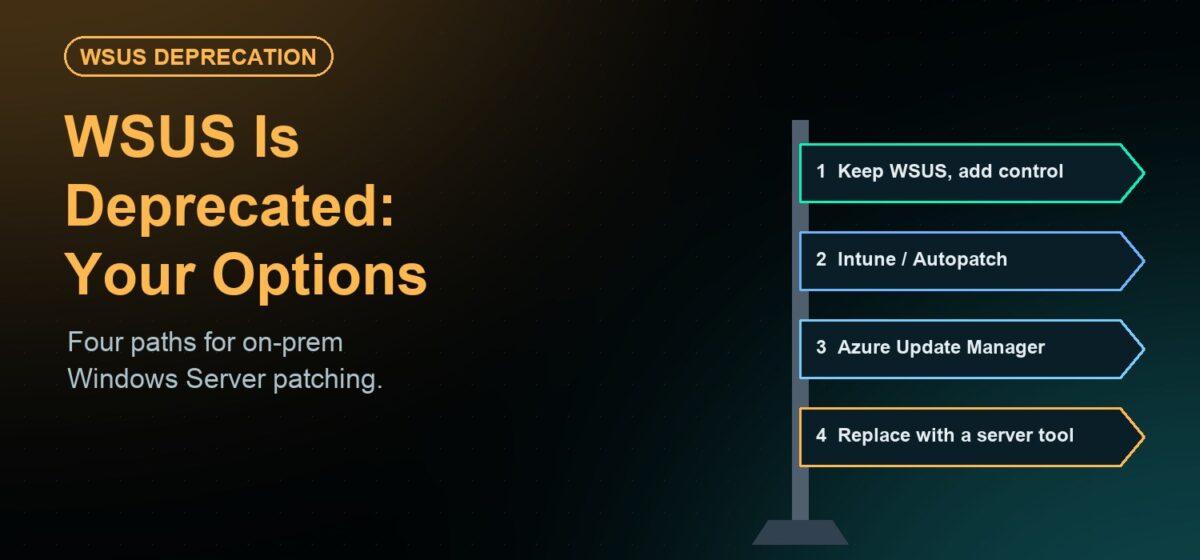
In September 2024 Microsoft announced that Windows Server Update Services (WSUS) is deprecated. WSUS still ships with Windows Server and keeps working, but it no longer receives new features. For the thousands of organizations that patch their Windows servers through WSUS, the question is no longer whether to plan the next step, but which next step fits their servers.
This guide walks through the four realistic options for on-premises Windows Server patching after WSUS, and the questions that decide between them.
Option 1: Keep running WSUS (for now)
WSUS is deprecated, not removed. If your estate is stable, keeping WSUS in place for the near term is a legitimate choice — especially if you add the automation, reporting and third-party patching that WSUS never had. The risk is time: every year you stay, the gap between WSUS and the rest of your tooling grows, and the eventual migration lands on someone else’s calendar.
Option 2: Azure Update Manager
Microsoft’s server-side successor is Azure Update Manager. It manages Azure VMs natively and on-premises servers through Azure Arc. That works well for organizations already standardized on Azure. It is a harder fit when servers must stay disconnected, when data-sovereignty rules keep patch metadata on your own network, or when the per-server monthly cost for Arc-connected machines adds up across a large estate.
Option 3: Intune
Intune is Microsoft’s cloud device-management service. It is excellent for laptops and desktops, but it was not designed for data-center servers, maintenance windows on production systems, or isolated networks. For most server teams, Intune is not a WSUS replacement.
Option 4: An on-prem patch management platform
The fourth path is a platform that runs on your own infrastructure and patches servers without routing through a vendor cloud. This is where JetPatch fits — and it supports both directions:
- Keep WSUS, with governance on top. JetPatch integrates deeply with WSUS: bidirectional sync, approvals, maintenance windows, compliance reporting and third-party application patching through your WSUS pipeline.
- Replace WSUS with the JetPatch repository. Patch Windows Server without a WSUS server to maintain — including fully air-gapped sites with Offline Windows Patching.
- Move between them at your own pace. Start in WSUS mode, pilot the repository on a group of servers, and switch over when it suits your change calendar.
Because the same console also patches Linux, AIX and Solaris, Windows and Unix teams get one inventory and one compliance view instead of separate tools.
Five questions that decide the right path
- Can these servers reach the internet? If some sites are disconnected or air-gapped, cloud-only tools are ruled out for them.
- Where must patch data live? Regulated environments (healthcare, energy, finance, government) often require patch metadata and approvals to stay on their own network.
- Are you standardized on Azure? If yes, Azure Update Manager may be the shortest path. If not, Azure Arc adds a dependency you may not want.
- Is the estate mixed? Most server estates include Linux — and sometimes AIX or Solaris. One console for all of them reduces tools and audit effort.
- How fast do you need to move? An approach that works with WSUS today and replaces it later avoids a risky big-bang migration.
The bottom line
WSUS deprecation is a forcing function, not an emergency. The organizations that handle it best decide early, pilot on a small group of servers, and keep control of their own patching. If you want to compare paths for your environment, see WSUS replacement options with JetPatch or talk to our team.