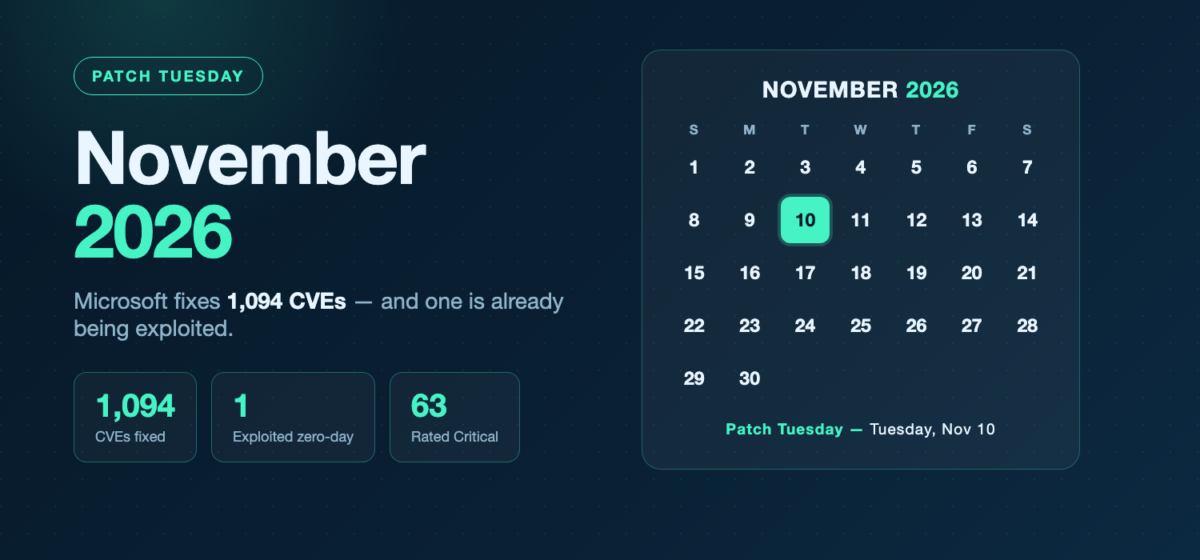
Microsoft’s November 2026 Patch Tuesday, released on November 10, fixes 1,094 CVEs — smaller than October’s 1,413, but still one of the largest releases on record. One flaw is already being exploited, and it is not on Windows Server: CVE-2026-124194, an Outlook spoofing bug that steals credentials. It ships through Office update channels, not the Windows cumulative update, so this month your to-do list starts with Outlook and then moves to the server fleet. This post lays out what shipped, the order to patch Windows servers in, and — given the week it landed in — how to deploy a release this size without causing an outage of your own.
The scope of November 2026 Patch Tuesday
Microsoft lists 1,094 CVEs in its November 2026 release notes, down from 1,413 in October. Windows accounts for 745 of them, and 63 are rated Critical. (Some trackers report ~1,235–1,250 by also counting Microsoft Edge (Chromium) CVEs, which are serviced separately through the browser.) As usual, the bulk are elevation-of-privilege and remote-code-execution bugs across Windows core components, Office, Exchange, SharePoint, SQL Server and the network services that Windows Server runs.
One vulnerability is marked “Exploitation Detected.” The rest are not known to be exploited yet — but in a release this large, several Critical RCEs are network-reachable and need no authentication, so the order you patch in matters more than the total.
The exploited zero-day: start with Outlook
CVE-2026-124194 — Microsoft Outlook spoofing (CVSS 6.5, exploited). An attacker who gets a user to open a malicious file can spoof an Outlook connection and capture the victim’s NTLM (NTLMv2) authentication hash, which can then be relayed or cracked to impersonate that user. Microsoft rates it Moderate by CVSS, but it is being actively exploited, which moves it to the top of the list regardless of the score. It affects Microsoft 365 Apps for Enterprise, Office LTSC 2021 and Office LTSC 2024.
The important operational detail: this fix arrives through Office / Microsoft 365 Apps update channels, not the Windows cumulative update. If you manage Office servicing separately from Windows patching, that channel has to move first — a server that is fully current on its Windows cumulative update can still be running vulnerable Outlook.
Key CVEs for Windows server teams
Beyond the Outlook zero-day, these are the Critical, network-facing bugs worth prioritizing on servers. Confirm the exact affected build ranges against each CVE’s entry in the Microsoft Security Update Guide before you schedule.
| CVE | Component | Severity / CVSS | Why it matters |
|---|---|---|---|
| CVE-2026-124194 | Outlook spoofing (Office) | Moderate / 6.5 — exploited | Steals NTLM hashes; fixed via Office channels, not the Windows cumulative update — patch Office first |
| CVE-2026-119958 | Windows LDAP RCE | Critical / 9.8 | Out-of-bounds write; unauthenticated, no user interaction, over the network. LDAP runs on every domain controller |
| CVE-2026-116928 | Windows Search RCE | Critical / 9.8 | Reachable via a malicious Exchange attachment; pre-auth out-of-bounds write |
| CVE-2026-113862 | Windows NAT RCE | Critical / 8.1 — Exploitation More Likely | Edge, RRAS and gateway roles that run NAT |
| CVE-2026-119952 | Schannel (TLS/SSL) RCE | Critical / 8.1 | Schannel sits under TLS on every Windows server that terminates HTTPS or LDAPS |
| CVE-2026-118207 | Exchange Server RCE | Critical / 8.8 | Mail servers; ships in Exchange’s own update, not the OS cumulative |
| CVE-2026-118146 | Active Directory Domain Services | Critical / 8.8 | Domain controllers — the identity tier |
| CVE-2026-120002 | SharePoint Server Subscription Edition EoP | Critical | Incorrect authorization checks; collaboration servers |
Message Queuing (MSMQ), CredSSP and the Windows Advanced Rasterization Platform also receive Critical or high-severity fixes this month. As always, Exchange, SharePoint and SQL Server are serviced by their own packages and need to be scheduled separately from the Windows cumulative update.
Patch fast — without becoming the outage
November’s release landed in a bruising week for IT: a software update is being investigated as the possible cause of the nationwide FAA ground stop, and a worldwide Microsoft 365 outage took services down the day before. Neither was a Patch Tuesday failure. But together they are a well-timed reminder of the other half of patch management: a botched rollout can be just as disruptive as the vulnerability you were trying to close.
That is not hypothetical for Windows admins. Three times this year, a routine cumulative update caused real damage before it was pulled or worked around — KB5074109 (January) left machines unbootable with UNMOUNTABLE_BOOT_VOLUME, KB5083769 (April) forced PCs into BitLocker recovery loops, and KB5094126 (June) caused boot failures on some enterprise hardware. Shipping 1,094 fixes across your entire fleet in one night, blind, is how a bad month becomes a bad quarter.
The discipline that prevents it is the same every month, and it is unglamorous: test on a representative pilot group first, roll out in staged waves by server role, keep redundant pairs from going down together, and be able to roll a failed update back automatically. That is what turns a release this size from a risk into a routine.
Patching priorities for Windows servers
In a release this large, a practical order of operations:
- Office channels first. Push the Outlook fix for CVE-2026-124194 through your Microsoft 365 Apps / Office LTSC update channel, prioritizing the hosts and workstations where people actually read mail.
- Exploited and exposed network services. Patch the unauthenticated, network-reachable RCEs next — LDAP, Schannel, NAT-facing edge and RRAS servers, Windows Search, and any host running optional services like MSMQ.
- Identity tier. Patch domain controllers in waves for the LDAP, Schannel and AD DS fixes, so at least one healthy DC stays up in each site.
- Application and data tier. Exchange, SharePoint and SQL Server have their own packages — schedule them separately from the OS update, and patch cluster nodes one at a time.
- Infrastructure and the rest. Patch WSUS servers, drain and patch Hyper-V hosts, then the remaining fleet.
Test groups. Keep a small, representative test group for each role — a DC, a TLS-terminating front end, a SQL node, an RDS host and a Hyper-V host — and give it 24–72 hours before broad rollout. Watch for authentication, name-resolution, TLS and cluster-failover problems. Maintenance windows. Assign every group a window, stagger redundant pairs so both halves are never down at once, and keep an emergency window ready for the exploited Outlook bug and any flaw that moves to active exploitation mid-cycle.
Air-gapped and isolated servers
Isolated networks still need this month’s fixes, and copying files across by hand is slow and error-prone. With JetPatch Offline Windows Patching, the JetPatch Manager is the only component that ever reaches Microsoft. Updates are digital-fingerprint verified against Microsoft’s own catalog, and any file that fails verification is quarantined. Isolated servers then patch from a local store without any internet access, and are re-scanned afterwards to confirm the update is installed.
What this means for WSUS
Microsoft has deprecated WSUS. It still ships with Windows Server and still delivers this month’s updates, but it gets no new features. JetPatch works with your existing WSUS, including primary and replica servers and bidirectional group sync. When you are ready, you can patch Windows Server from the JetPatch repository instead and retire the WSUS server on your own schedule.
How JetPatch helps
JetPatch Windows patch management runs Patch Tuesday from a single console. You can group servers by role, assign maintenance windows and schedules, and validate endpoint readiness before deployment: WUA communication, WSUS connectivity, PowerShell policy, connector health and repository configuration. You can stage rollouts from a test group to production, roll a failed update back, manage exemptions for sensitive hosts, and produce compliance reports that show which servers have the November fixes. The same console covers third-party Windows applications — including Office / Microsoft 365 Apps servicing — plus Linux and Unix.
FAQ
How many vulnerabilities did Microsoft fix in November 2026?
Microsoft lists 1,094 CVEs in its November 2026 release notes, down from 1,413 in October. Windows accounts for 745, and 63 are rated Critical. Some trackers cite a higher total by also counting Microsoft Edge CVEs.
Are any November 2026 vulnerabilities being exploited?
Yes, one: CVE-2026-124194, a Microsoft Outlook spoofing bug that steals NTLM hashes. It is fixed through Office / Microsoft 365 Apps update channels rather than the Windows cumulative update, so patch Office first.
Which should I patch first?
Start with the Outlook fix on mail-reading hosts, then the unauthenticated network RCEs (LDAP, Schannel, NAT, Windows Search, MSMQ), then domain controllers in waves, then Exchange, SharePoint and SQL Server, then WSUS, Hyper-V and the rest.
How do I patch 1,094 CVEs without causing an outage?
Test each update on a representative pilot group for 24–72 hours, roll out in staged waves by role, stagger redundant pairs, and keep automatic rollback ready. After the bad Windows updates earlier this year, a staged, test-first rollout is the difference between a routine Patch Tuesday and a self-inflicted outage.
Ready to make next Patch Tuesday routine? Request a JetPatch evaluation and see how your Windows servers, connected or air-gapped, can be patched on schedule.