Updated October 2026: this article now describes more precisely what an agent manager can and cannot do for a server that is stuck in a boot loop, and what it changes in the hours that follow.
The July 2024 CrowdStrike Falcon sensor update caused the largest IT outage on record and showed how much of a modern server estate depends on a handful of software agents. Here is what happened, what an agent management layer could and could not have done, and how to reduce the blast radius of the next bad agent update, whoever ships it.
What Happened
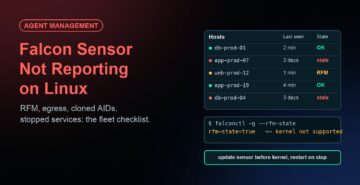
On July 19, 2024, a channel file update from CrowdStrike triggered a logic error, which in turn caused the Falcon sensor to crash Windows systems into a BSOD (blue screen of death) loop. This affected systems running Falcon sensor for Windows version 7.11 and above that downloaded the update between 04:09 UTC and 05:27 UTC. Around 8.5 million Windows machines were affected. Channel file updates are routine and automatic, and at the time they were not covered by the sensor version policies that let customers stay one or two releases behind. For more technical details, see CrowdStrike’s official technical details page.
What an Agent Manager Could Not Have Done
A server crashing at boot cannot receive a command from any management tool, JetPatch included. The faulty file loaded before Windows finished starting, so there was no window in which to stop the Falcon service remotely. On those machines the fix was the manual one CrowdStrike published: boot into safe mode or the recovery environment, delete the faulty C-00000291*.sys file, and reboot. No third-party tool could have prevented the loop on a machine that had already received the update.
What It Changes in the Hours That Follow
The outage was not only a boot-loop problem. It was an inventory and coordination problem. Most IT teams spent the first hours answering basic questions: which servers run Falcon, which sensor version, which ones have come back, and which still need hands-on recovery. That is where a central agent manager earns its keep:
- Scope the incident in minutes. JetPatch keeps a live inventory of every managed agent on every server: which servers run the affected sensor, which version, and which servers are reporting in. The impact list exists before the first bridge call, instead of being built from spreadsheets.
- Remediate every server that comes back, automatically. Many hosts recovered after several reboots, or booted long enough to take a command. A remediation runbook (stop the service, remove the faulty file, restart the service, confirm health) can be pushed centrally and applied the moment each server checks in, with no console-by-console work and no need to hand out administrator access.
- Prove recovery. The same inventory shows which servers are healthy, which are still down and which run an unsupported version, so the status report and the audit record come from one place.
Reducing the Blast Radius of the Next Bad Update
CrowdStrike has since added staged deployment and customer controls for content updates, and recommended that customers test updates on a small group of hosts first. That is the right model, and it should apply to every agent on your servers, not only to one vendor:
- Stage agent upgrades you control. JetPatch rolls out new agent versions to a canary group first, waits for the health checks to pass, and then extends the rollout group by group. A bad version stops at the first group.
- Enforce the vendor’s own update policy fleet-wide. Where a vendor offers a setting to delay or stage its updates, JetPatch can deploy and verify that setting on every server as part of the agent’s configuration, so no server is left on the default.
- Roll back. Managed agents keep the previous version available, so a fleet-wide rollback is one action rather than a reinstall on every server.
- Keep agents from taking servers down in slower ways. The CrowdStrike incident was sudden. The more common failure is an agent that silently stops, drifts from its configuration or consumes too much CPU. JetPatch’s watchdog restarts failed agents, its policy engine fixes drift, and per-agent throttling caps resource use.
Broader Protection Against Agent Failures from Any Vendor
A typical enterprise server runs 8 to 15 agents for monitoring, security, backup, compliance and automation, each with its own update cycle. Any of them can cause the next incident, through a vendor update or through an operating system change underneath it. JetPatch Agent Manager puts all of them under one inventory, one policy model and one set of controls: deploy, update, stage, stop, throttle, roll back and audit, across physical, virtual and cloud servers.
For more details, see JetPatch Server Agent Management.
Best regards,
Todd Kirkland
JetPatch