When a server stops sending logs to Splunk, nothing alerts. The dashboard just has a gap, and someone notices it during an investigation, which is the worst possible time. Across a few thousand servers there are always a handful of silent forwarders, and after some events, a reboot wave, an indexer certificate change, a bad app pushed from the deployment server, there are hundreds at once.
This article is the diagnosis order we use on a single host, then the part that matters more: how to find every silent forwarder and fix them as a batch.
Confirm it from the indexer side first
Before logging in to the server, check what the indexers have heard. A search over the internal index for the host will show when the forwarder last phoned home, and whether it is the forwarder that is silent or just one input on it. A forwarder whose internal logs still arrive but whose application logs do not has an inputs problem, not a connectivity problem, and that is a different checklist.
If the host has no internal events at all, continue below.
Per-host checks, in order
1. Is the forwarder running?
/opt/splunkforwarder/bin/splunk status
The most common cause of a silent forwarder after a reboot is that it was never enabled to start at boot. It ran for months because nobody rebooted the server, then a patch cycle rebooted everything and a tenth of the fleet went quiet. Fix the host with splunk enable boot-start -systemd-managed 1 -user splunkfwd (adjust the user to yours), and then check how many other hosts have the same gap, because it is never one.
2. Is the output active?
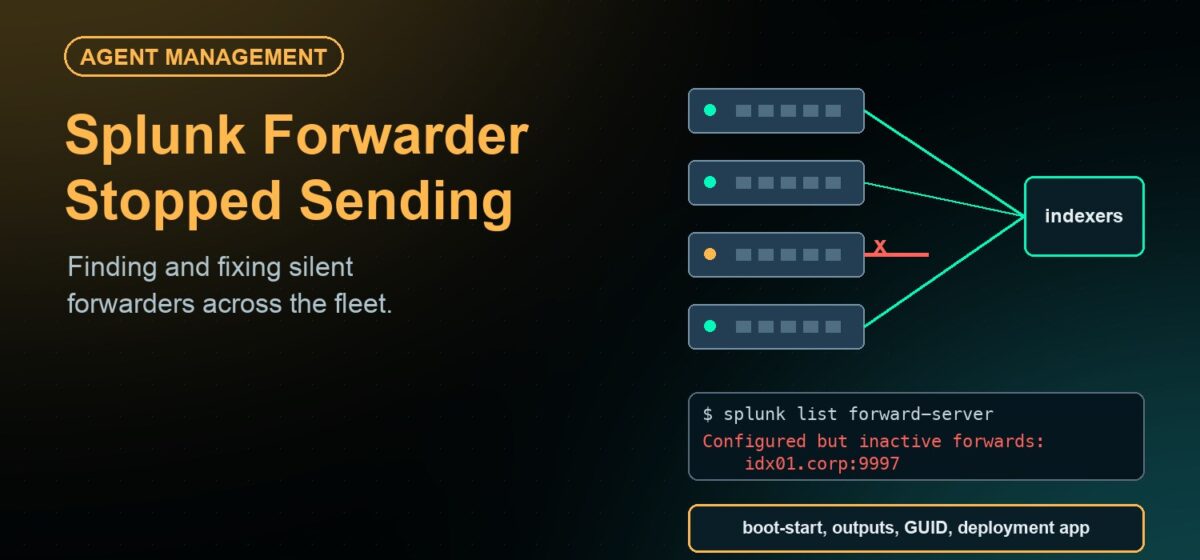
/opt/splunkforwarder/bin/splunk list forward-server
“Active forwards” is what you want. “Configured but inactive” means the forwarder knows where to send and cannot. The usual causes, in order: the indexer is not receiving on the port, a firewall between them, a wrong host or port in outputs.conf, or a TLS mismatch after the indexers changed certificates. Test the TCP path from the server itself with nc -vz <indexer> 9997, not from your workstation. Note that the listing only reports a connection that exists at the moment you run it, so an idle forwarder can look inactive while being healthy.
3. What does splunkd.log say?
/opt/splunkforwarder/var/log/splunk/splunkd.log/opt/splunkforwarder/var/log/splunk/metrics.log
In splunkd.log, look for the output processor’s connection messages: a successful connect to an indexer, or repeated connection failures with the reason. In metrics.log, a queue reporting itself as blocked means backpressure: the forwarder is up but cannot drain, usually because the indexers are refusing or because the host’s own disk under the forwarder directory is full. Disk full is worth checking early; a forwarder with no space to write its own logs fails in ways that look like a network problem.
4. Is the host a clone?
Servers built from an image that already had a forwarder installed share its GUID. The deployment server sees them as one client, so only one appears, and the one that appears keeps changing. On indexers the duplicate can inflate licence usage.
Fix the clones by stopping the forwarder, removing the instance file under the forwarder’s etc directory, and starting it again so it generates a new identity. Fix the image by running splunk clone-prep-clear-config before capturing it. Fix the process by installing the forwarder at first boot rather than in the template.
5. Did the deployment server push something broken?
If the silence started at the same minute on many hosts, look at the deployment server before the hosts. A bad outputs.conf in a pushed app breaks every forwarder in the server class at the next phone-home. The symptom on the host is a forwarder that was fine, restarted on its own, and has been inactive since. The fix is to correct the app and let it redeploy, and the lesson is that a change pushed to every forwarder at once needs a pilot group first.
6. Is it just slow?
A forwarder that is lagging rather than silent may be hitting its throughput limit. The universal forwarder ships with a conservative default cap in limits.conf, and a busy server can fall hours behind without ever disconnecting. Raise the limit for those hosts, or the gap you are chasing is a delay, not an outage.
Doing this across the fleet
- Start from the list of servers, not the list of forwarders. Splunk can only tell you about forwarders it has heard from. The server that never got a forwarder, or whose forwarder never registered, is invisible there. The inventory has to come from the server side.
- Collect the checks in one pass. Service state, boot-start setting, forward-server status, disk space under the forwarder directory and the instance GUID can be gathered from every host in a single job. The output is the exception list.
- Restart automatically, log it, then investigate. Most silent forwarders need a start. If that happens within minutes without a ticket, the data gap is minutes. The ones that come back and stop again are the ones worth a person’s time.
- Stage every change. The deployment server is a fleet-wide blast radius. Whatever you push, push it to a pilot server class first.
How JetPatch Agent Manager handles it
The Splunk Universal Forwarder is one of the agents JetPatch Agent Manager ships a pre-built package for. As a managed agent:
- Policy deployment and registration. The forwarder is installed on every server that matches the policy, at first boot, and registered with its deployment server. No forwarder in the image, so no cloned GUIDs; no build checklist, so no servers without one.
- Watchdog. A stopped forwarder is restarted automatically and the stop is logged. The reboot-wave scenario above becomes a line in the log rather than a tenth of the fleet going dark.
- Health tests. A health test that checks the forward-server status can run alongside the agent, so “configured but inactive” is an unhealthy agent in the JetPatch console, not a gap in a dashboard.
- Logs without server access. splunkd.log and metrics.log are viewable from the console. The Splunk team diagnoses the host; the server team does not have to hand out logins.
- Staged upgrades and rollback. Forwarder versions are rolled out by server group, pilot first, and a version can be rolled back across the group if it misbehaves.
- Throttling. CPU and memory limits per agent, so the forwarder on a busy database host cannot become the thing the DBA kills.
- Discovery. Servers running a forwarder that JetPatch did not install, and servers running none, show in the same inventory.
Patch management runs from the same console, so the reboot wave that stops forwarders is also the place where a post-patching task can confirm the forwarder came back.
Frequently asked questions
Why did my Splunk forwarders stop after a reboot?
Most often because the forwarder was never enabled to start at boot. Enable it with the splunk enable boot-start command, and check the rest of the fleet, because the gap is usually common to every server built the same way.
What does “configured but inactive” mean in splunk list forward-server?
The forwarder has an indexer configured in outputs.conf but currently has no connection to it. Check that the indexer is receiving on the port, that the network path is open from the server, and that TLS settings match. The command only reports connections open at that instant, so retry on a busy forwarder.
Why does only one of my cloned servers appear on the deployment server?
They share a GUID from the image. Clear the instance identity on the clones and use clone-prep-clear-config before capturing future images.
Can an agent manager prevent a bad deployment server app from breaking every forwarder?
It cannot change what the deployment server pushes, but it restarts forwarders that stop, flags the ones that come back unhealthy, and gives you a way to roll the forwarder version back by group. The real fix is staging changes to a pilot group first.
Does JetPatch replace the Splunk deployment server?
No. The deployment server still manages inputs and apps. JetPatch manages the forwarder itself: deployment, health, restart, resource limits, upgrades and inventory.