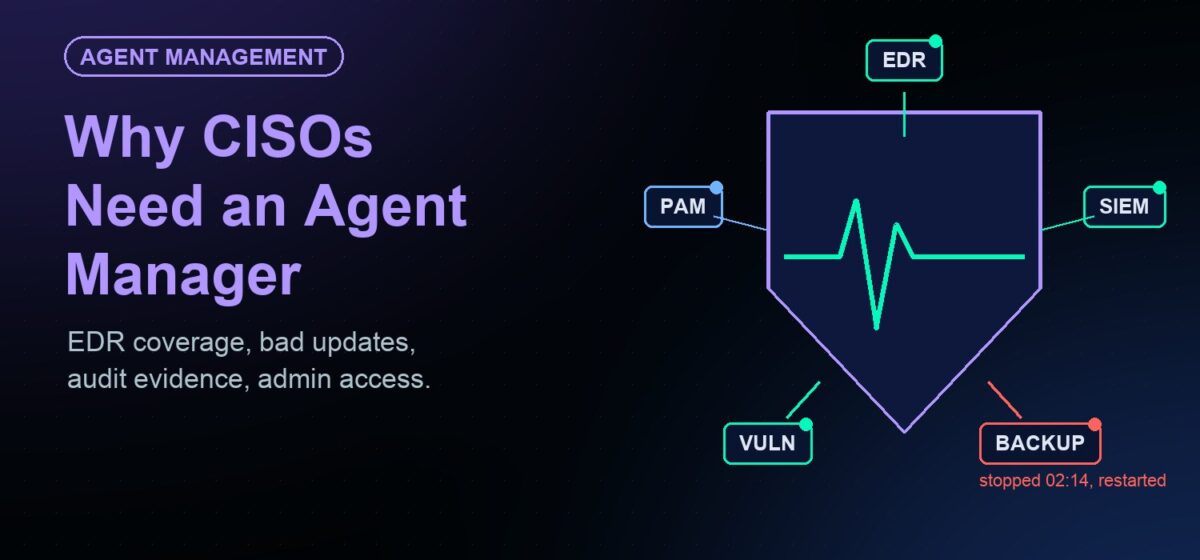
Every security control you report on runs as an agent on a server. Endpoint detection and response. Log forwarding to the SIEM. Vulnerability scanning. Privileged access. Backup. Each one is a process that has to be installed, registered, kept running, kept current and kept from fighting with the others. On a typical enterprise server there are 8 to 15 of them.
Most security programs treat those agents as plumbing: the infrastructure team installs them, the tool team owns the console, and nobody owns the gap in between. That gap is where coverage quietly disappears. This article explains why agent management has become a security problem rather than an operations chore, and what to ask for.
Your controls are only as real as the agents that implement them
A CISO’s dashboard says “EDR deployed to 100% of servers.” What it usually means is “EDR was installed at build time.” It does not say whether the sensor is running today, reporting to the console, on a supported version, or was stopped last Tuesday by an administrator who needed the CPU back.
The same applies to the log forwarder (if it stops, the SIEM goes blind on that host and nothing alerts), the vulnerability agent (the scanner reports a clean host because it has no data) and the backup agent (discovered during the restore).
An agent manager closes that gap by treating every agent as something with a lifecycle: deploy, register, monitor, restart, throttle, upgrade, roll back, remove, and prove it. Here are five reasons that now matters to the security leader specifically.
1. A silent EDR agent is an incident indicator, not a maintenance ticket
Ransomware operators now disable endpoint protection before they encrypt. Since 2024, researchers have documented purpose-built tools for it, such as the EDRKillShifter loader used by the RansomHub group, which abuses vulnerable signed drivers to stop EDR sensors. A sensor that stops reporting at 2 a.m. is often the first observable step of an attack.
Without an agent manager, a stopped sensor is a row that goes stale in the EDR console, noticed in the next coverage review. With one, it is an event: the watchdog sees the process stop, attempts to restart it, and records both. No single control is unkillable, and an attacker with full administrative rights can stop the agent manager too. The point is that a dead security agent becomes something a person sees within minutes, with a timestamp, rather than a gap found in the incident report.
2. Agent updates are a privileged supply chain
Every agent on your servers updates itself, on its vendor’s schedule, with code that runs at the highest privilege level on the machine. Nobody in your organization reviews it.
On July 19, 2024, one content update to the CrowdStrike Falcon sensor crashed about 8.5 million Windows machines, by Microsoft’s count. CrowdStrike has since added staged deployment and customer controls for content updates. That fixed one vendor’s channel. The other dozen agents on each server still update on their own terms.
An agent manager gives you the controls you would want for any privileged software: version pinning, canary groups before fleet-wide rollout, a fleet-wide stop and a fleet-wide rollback, applied the same way to every vendor’s agent. It also gives you the thing most teams lacked during the outage: an accurate list, within minutes, of which servers run which version of which agent. (We looked at what an agent manager could and could not have done that day in our post on the CrowdStrike outage.)
3. Auditors want coverage evidence, not intentions
Regulators have moved from “do you have EDR?” to “show me it was running on every in-scope system.” The EU’s DORA, in force since January 2025, requires financial entities to monitor ICT third-party tools and prove operational resilience. NIS2 expects the same of essential and important entities across the EU. Australia’s Essential Eight asks for application control, patching and restricted administrative privileges at a defined maturity level. SOC 2 auditors sample servers and ask for evidence that monitoring and protection controls operated throughout the period.
The honest answer in most organizations is a screenshot from each tool’s console, taken on the day of the audit. An agent manager produces a different kind of evidence: one inventory of every required agent on every server, with status and version, plus a record of every failure and every automatic fix. “Every server has EDR and log forwarding, here is the report for the quarter” is a sentence a CISO can say under questioning.
4. Standing administrative access is what breaches keep exploiting
When a security agent misbehaves, someone logs in to the server to look at it. In practice that means the EDR team, the SIEM team, the backup team and the vulnerability team all hold administrative access to production servers, most of it standing rather than just-in-time. Every one of those accounts is a target, and every login is a change-control exception waiting to happen.
An agent manager removes most of the reasons for that access. The agent’s logs, configuration and health can be viewed from the console. Restarts, reconfiguration and upgrades are console actions, with role-based permissions so the Splunk owner can act on Splunk and nothing else. That is the Essential Eight’s “restrict administrative privileges” control, applied to the tool teams that most often need an exception to it.
5. Vendor swaps have become routine, and they are a security event
Security tooling turns over faster than it used to. EDR vendors get swapped after a bad quarter or a bad outage. Log forwarders are being replaced by OpenTelemetry collectors as observability platforms consolidate. Acquisitions change the agent you run even when nothing else changes.
Each swap is a window of reduced coverage: servers with the old agent removed and the new one not yet registered, or both running and competing for CPU. An agent manager turns the swap into a policy change: stop the old agent, deploy the new one, register it with its console, confirm it reports, and show the auditor the before-and-after list. The 2015 version of this argument was about being locked into your existing tools. The 2026 version is about doing the migration without a coverage gap.
What to ask for
If the security team is going to own this problem, it needs an operational layer with these properties:
| Requirement | Why the CISO cares |
|---|---|
| One inventory of every agent on every server, managed or not | You cannot govern an agent you cannot see |
| Health monitoring with automatic restart and a record of every failure | A stopped sensor becomes an event, not a stale row |
| Staged rollout, version pinning and fleet-wide rollback for every vendor’s agent | Limits the blast radius of the next bad update |
| Policy-based deployment, so a new server gets its required agents automatically | Coverage does not depend on a build checklist |
| Remote diagnostics and role-based control from a console | Fewer standing admin accounts on production servers |
| Resource throttling per agent | Agents stop being the reason an owner disables them |
| Works on-premises and in isolated networks | The most sensitive servers are the ones with no internet access |
| Audit trail of deployments, failures and fixes | Evidence for DORA, NIS2, Essential Eight and SOC 2 |
How JetPatch Agent Manager does this
JetPatch Agent Manager has run in production for more than a decade, including at one of the world’s largest consulting firms. It packages each tool agent into a managed agent image, deploys it by policy, registers it with its own vendor console, and then keeps it healthy.
- Inventory. Managed agents are tracked with version and status. Software Discovery also finds agents JetPatch does not manage, so the list is complete, not just the list of what JetPatch installed.
- Watchdog and auto-remediation. A failed agent is restarted automatically, policy drift is corrected, and every threshold crossing and maintenance action is logged. Health checks can be customized per agent.
- Controlled rollouts. Agents are deployed and upgraded by policy and server group, so a new version reaches a pilot group before the fleet, and an agent can be rolled back to its previous version.
- Remote diagnostics without server access. Agent files and logs are viewed from the console. Role-based permissions separate who can act on which agent and which servers. Active Directory integration, SNMP and Syslog export, and an API for your SIEM or ITSM.
- Throttling. CPU and memory limits per agent and per server, so a monitoring agent cannot starve the application or the EDR sensor.
- Any agent. More than 45 pre-built agent packages, including CrowdStrike Falcon, Rapid7 InsightVM, Splunk, Microsoft Defender for Endpoint and Zabbix. Any agent with an unattended installer can be packaged with the Self-Packager, and the same console now governs AI agents as well.
- Where your servers are. On-premises, virtual, cloud and air-gapped, with no vendor-hosted console required.
Patch management and agent management run from the same JetPatch console, so the team that proves patch compliance can prove agent coverage from the same place.
Questions for your next security review
- For each required security agent, what percentage of production servers had it running and reporting yesterday, and how do you know?
- When a sensor stops, who is notified, how quickly, and what happens automatically?
- Which agents on your servers update themselves, and which of those updates are staged before they reach production?
- How many people hold standing administrative access to production servers in order to maintain security tools?
- If you replaced your EDR vendor next quarter, how long would servers be without coverage during the migration?
If any answer is unknown, the agent layer is the control to look at next.
Frequently asked questions
What is agent management in security terms?
It is the discipline of keeping every security and operations agent on every server deployed, registered, running, current and auditable. Security controls such as EDR, log forwarding and vulnerability scanning only work while their agents run, so agent management is what makes those controls real.
Does an agent manager replace EDR?
No. It manages the EDR agent and every other agent on the server: deployment, health, updates, rollback and evidence. The EDR vendor still provides detection and response.
Can an agent manager stop an attacker from disabling EDR?
Not by itself. An attacker with full administrative rights can stop any process. What an agent manager changes is detection and evidence: a stopped sensor is restarted if possible, and the stop is recorded and visible within minutes rather than at the next coverage review.
Which regulations care about agent coverage?
DORA and NIS2 in the EU, the Essential Eight in Australia, and SOC 2 audits all expect evidence that monitoring and protection controls were running on in-scope systems throughout the period, not only that they were installed.
Does this work for servers without internet access?
Yes. JetPatch runs on your own infrastructure, and agents are deployed from its console inside the network, so isolated and air-gapped servers get the same inventory, health monitoring and evidence as connected ones.